
LastShoot
Use cases / Fashion & apparel

Every garment,
on a model.

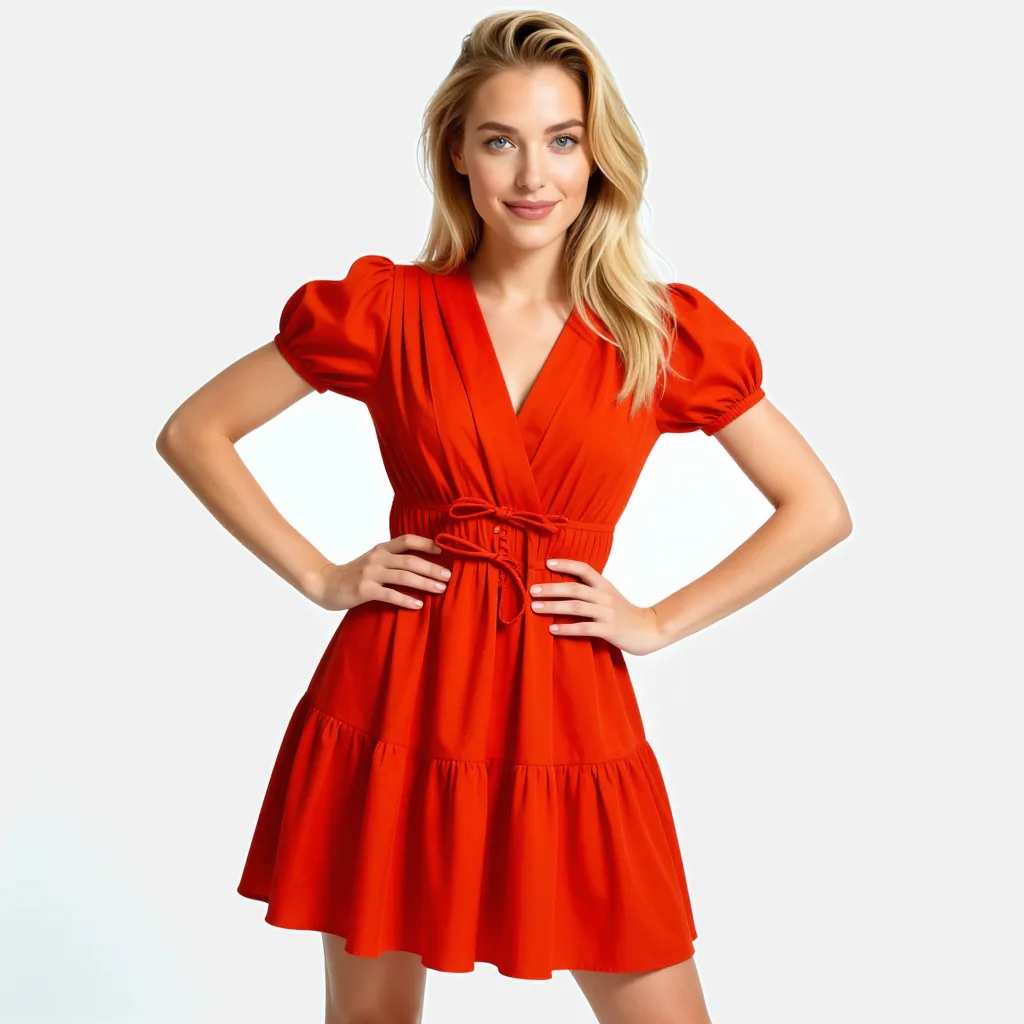
Dress a model in your product photo, keep the same face across every SKU, and swap the model without reshooting the outfit.

POST/creator/tryon/image/v1POST/creator/instamodel/image/v1POST/identity/lock/image/v1POST/profiles/v1POST/identity/replace/image/v1
Red tiered frock product photo
Product photo
AI model wearing the red tiered frock, generated by LastShoot
Virtual try-on
POST/creator/tryon/image/v1
Step 01

Virtual try-on from a product photo

Send the garment and the model you want to dress. The garment's cut, colour and fabric carry over onto the body.

POST/creator/tryon/image/v1
$POST/creator/tryon/image/v1
{
  "person_image": "https://cdn.brand.com/models/model-017.png",
  "clothing_image": "https://cdn.brand.com/sku/tailored-blazer.png",
  "gender": "woman",
  "output_format": "webp",
  "callback_url": "https://hooks.brand.com/lastshoot"
}
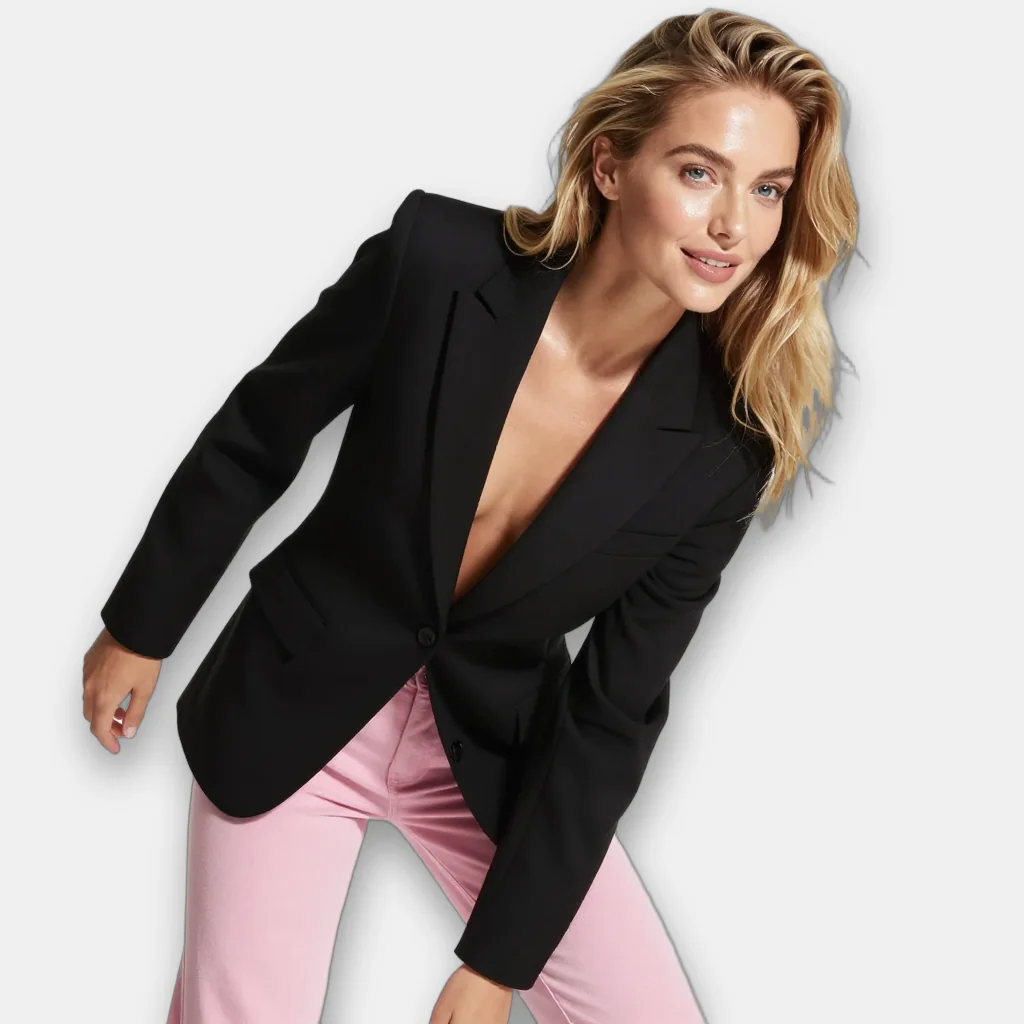
Black tailored blazer product photo
clothing_image
AI model wearing the black tailored blazer
Try-on result
POST/creator/tryon/image/v1
Step 02

On-model shots from a face

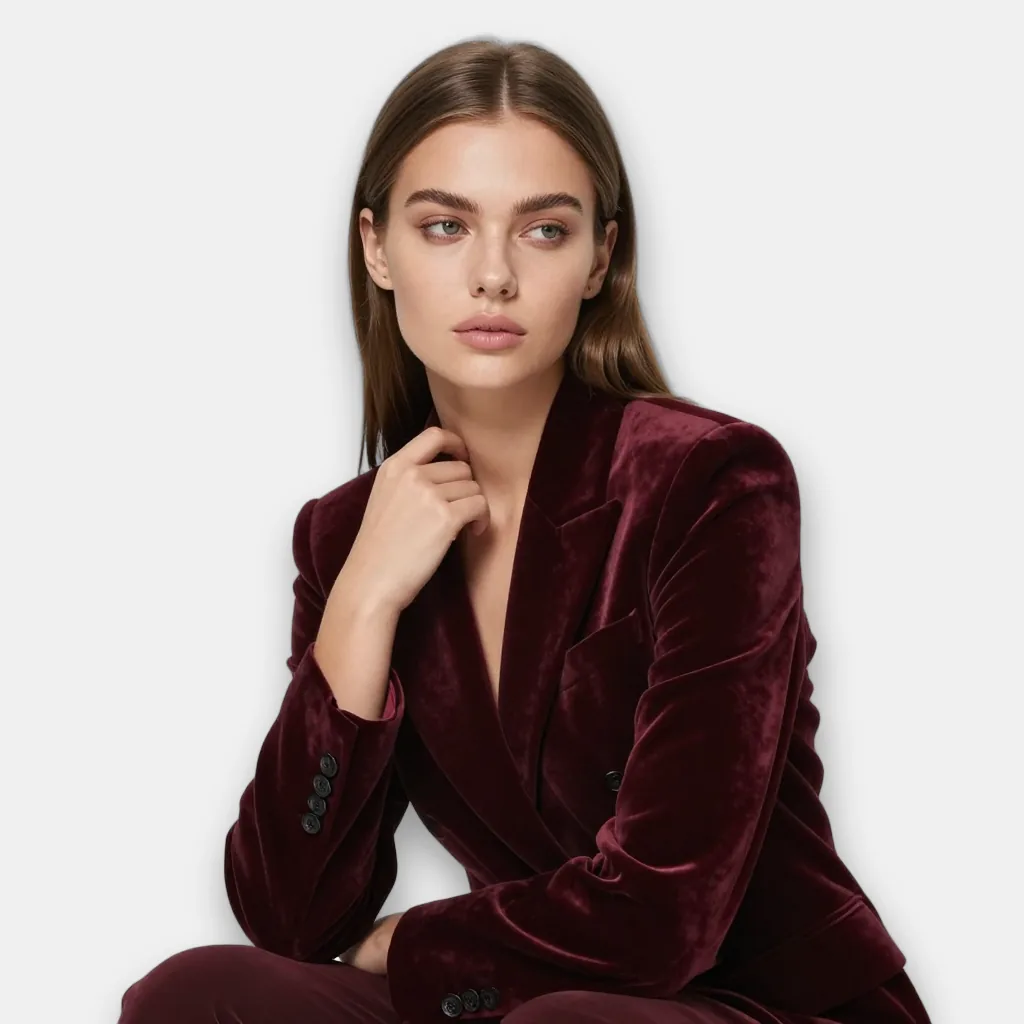
Start from one face and describe the outfit, pose and backdrop. The output is a full styled shot of that person.

POST/creator/instamodel/image/v1
$POST/creator/instamodel/image/v1
{
  "input_face": "https://cdn.brand.com/models/face-01.png",
  "prompt": "seated studio portrait, burgundy velvet suit, soft daylight",
  "width": 768,
  "height": 1024,
  "output_format": "webp"
}
Close-up face used as input_face
input_face
AI model in a burgundy velvet suit generated from the face
On-model shot
POST/creator/instamodel/image/v1
Step 03

One model across the whole catalogue

Create a profile once, then lock the identity on every job. The same person appears in every scene and every SKU.

POST/identity/lock/image/v1POST/profiles/v1
$POST/identity/lock/image/v1
{
  "input_image": "https://cdn.brand.com/models/face-02.png",
  "prompt": "seated on a wooden block, burgundy shirt, khaki trousers, warm studio",
  "profile_id": "prof_catalogue_m1",
  "output_format": "webp"
}

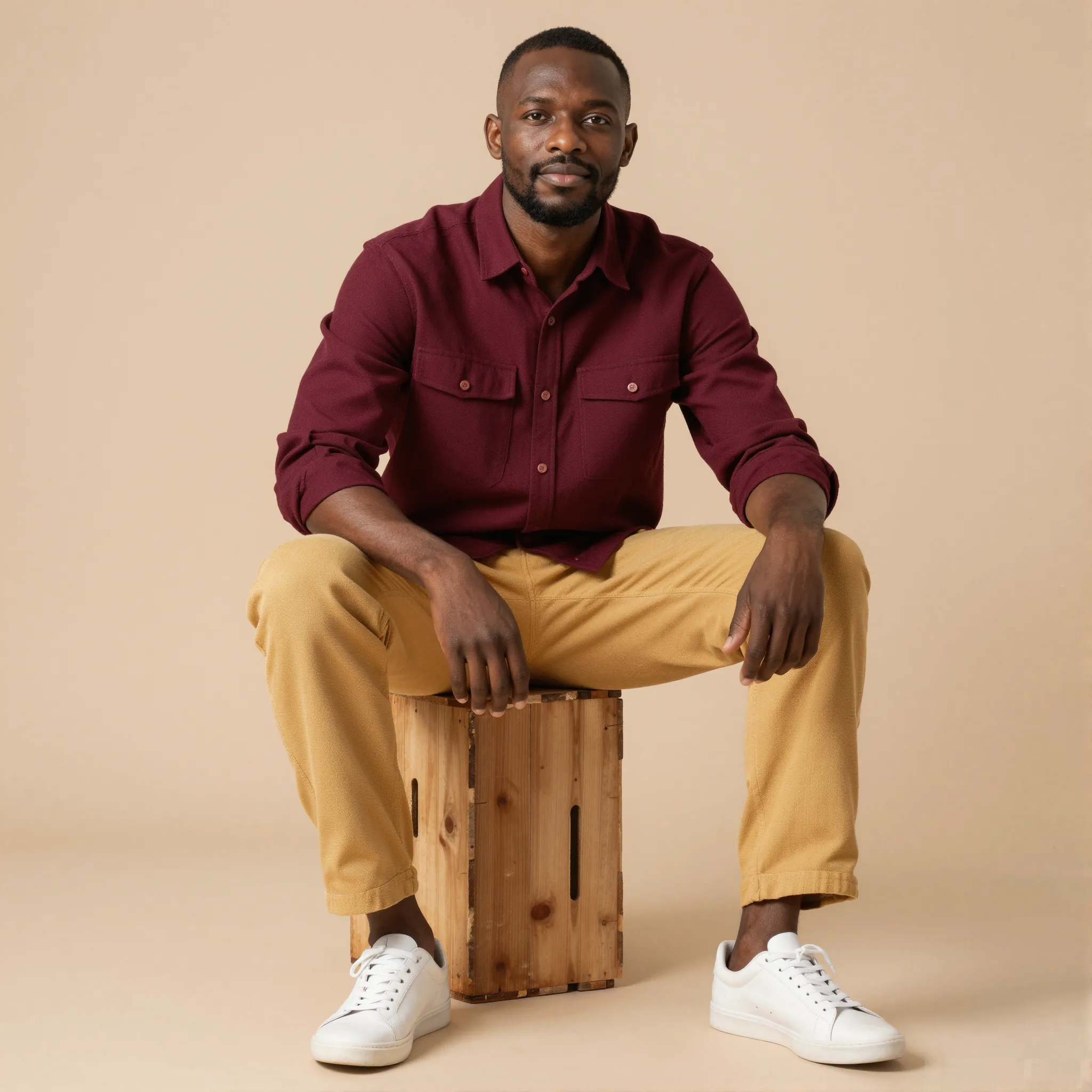
Face of the model to keep consistent
input_image
Same model in a full studio scene, identity preserved
Identity locked
POST/identity/lock/image/v1
Step 04

Swap the model, keep the outfit

Replace the person in an existing shot while the garment, pose and lighting stay put. Show the same look on different models.

POST/identity/replace/image/v1
$POST/identity/replace/image/v1
{
  "input_image": "https://cdn.brand.com/looks/velvet-suit-01.png",
  "prompt": "different model, dark skin, short natural hair, same outfit and pose",
  "output_format": "webp"
}
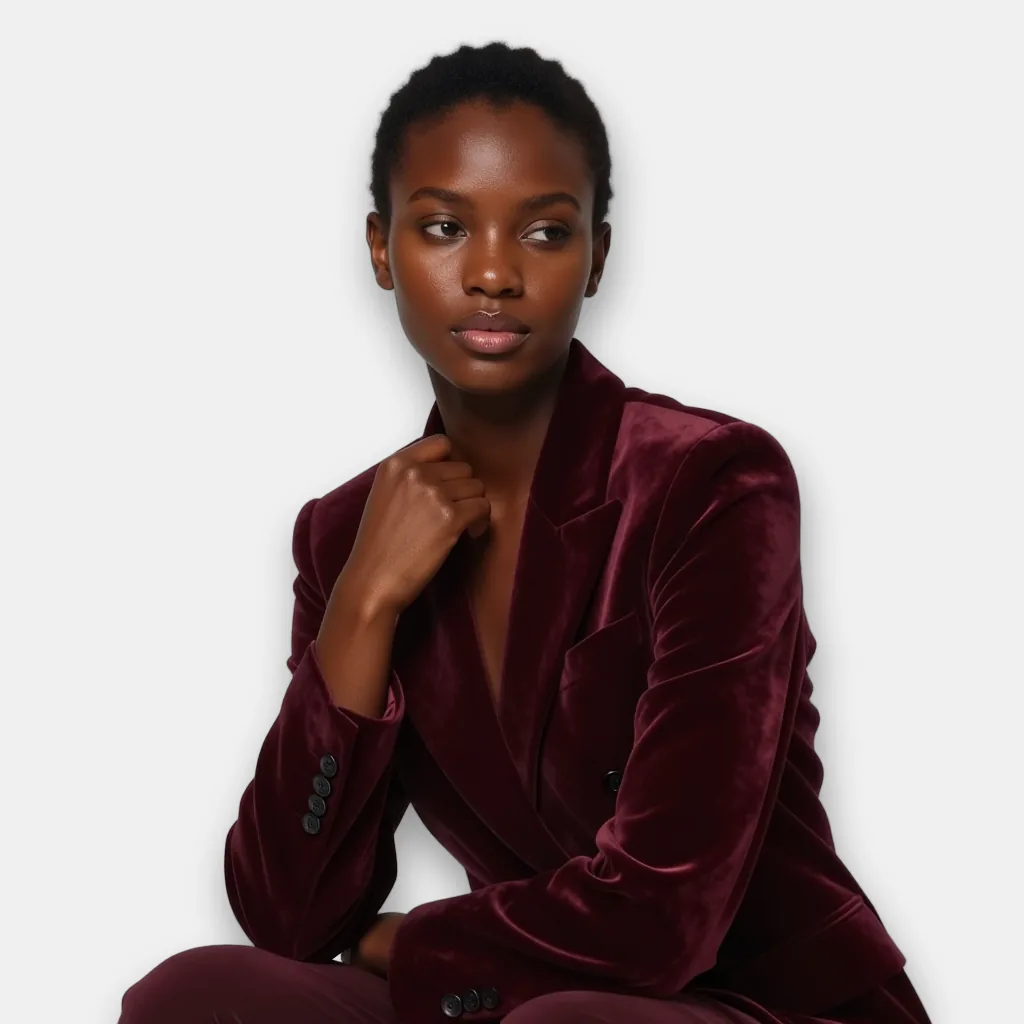
Original on-model shot in a burgundy velvet suit
input_image
Same outfit and pose on a different AI model
Model swapped
POST/identity/replace/image/v1
The code

One key. Async jobs.

Every call takes an X-API-Key header and returns a job_id. Poll the status endpoint, or pass a callback_url and get a webhook when the job completes or fails.

Read the docs
tryon.sh
1# Dress a model in a product photo
2curl https://api.lastshoot.com/creator/tryon/image/v1 \
3 -H "X-API-Key: $LASTSHOOT_API_KEY" \
4 -H "Content-Type: application/json" \
5 -d '{
6 "person_image": "https://cdn.brand.com/models/model-017.png",
7 "clothing_image": "https://cdn.brand.com/sku/red-tiered-frock.png",
8 "gender": "woman",
9 "width": 832,
10 "height": 1248,
11 "output_format": "webp",
12 "callback_url": "https://hooks.brand.com/lastshoot"
13 }'
14
15# Async: the call returns a job_id. Poll, or wait for the webhook.
16curl https://api.lastshoot.com/creator/tryon/image/v1/status/$JOB_ID \
17 -H "X-API-Key: $LASTSHOOT_API_KEY"

Try it on your own catalogue.

Bring a few product photos. We will run them through these endpoints with you.